
Having trouble accessing software, product downloads or product keys through Azure for Education? Follow the steps below to submit a support request directly to Microsoft.
Software previously available through Microsoft Imagine is now provided directly by Microsoft through Azure for Education. Use this guide if you experience problems accessing your software, downloads, product keys or Azure Education account.
Follow the eight steps below. Select any step to expand the instructions.
Select the red Start a Microsoft Support Request button above.
The Microsoft Azure for Education support page will open in a new browser tab.
Under North America, locate Canada.
Select the Submit link shown in the Submit Online Request column.
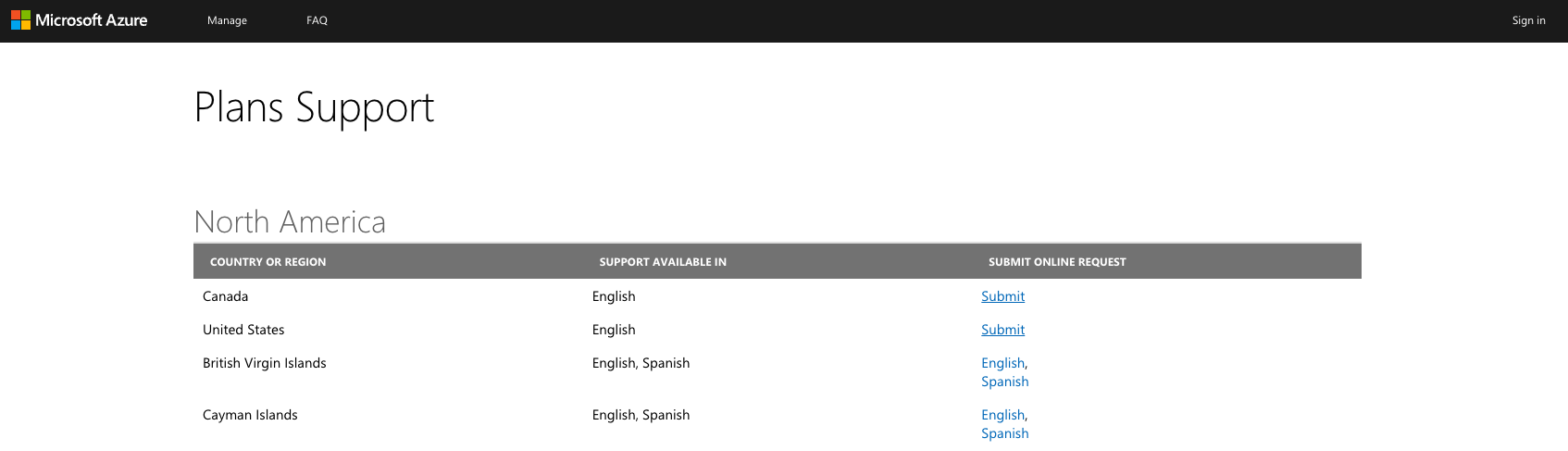
Select the image to open it full size.
Microsoft will redirect you to the Microsoft Engage Center.
Sign in using the Microsoft account associated with your Azure for Education access.
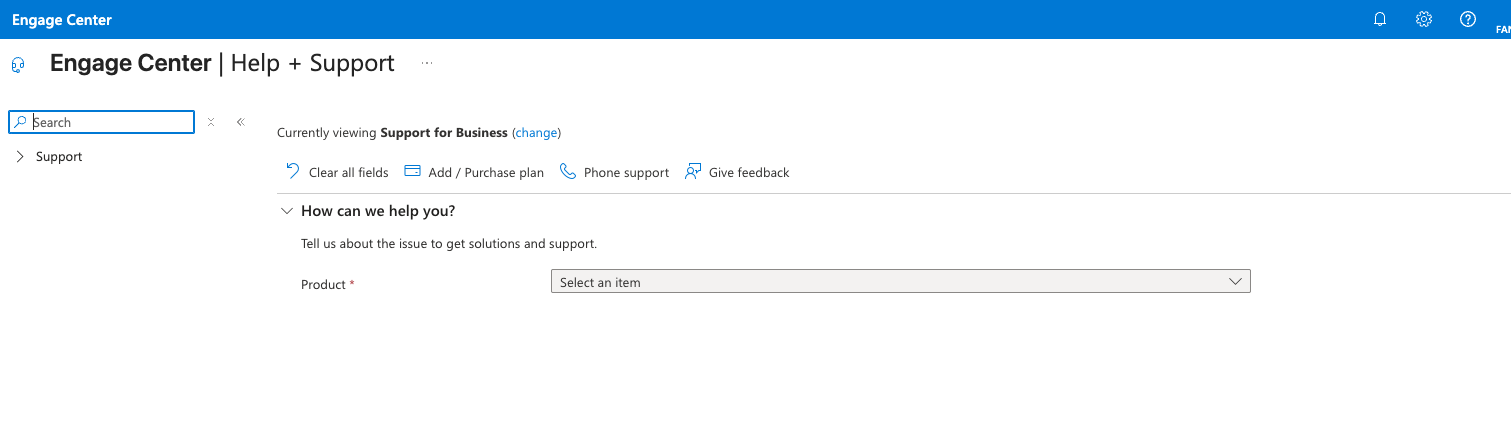
Select the image to open it full size.
In the Product field, select:
Then select the Problem Type that most closely matches the issue you are experiencing.
Available choices may include:
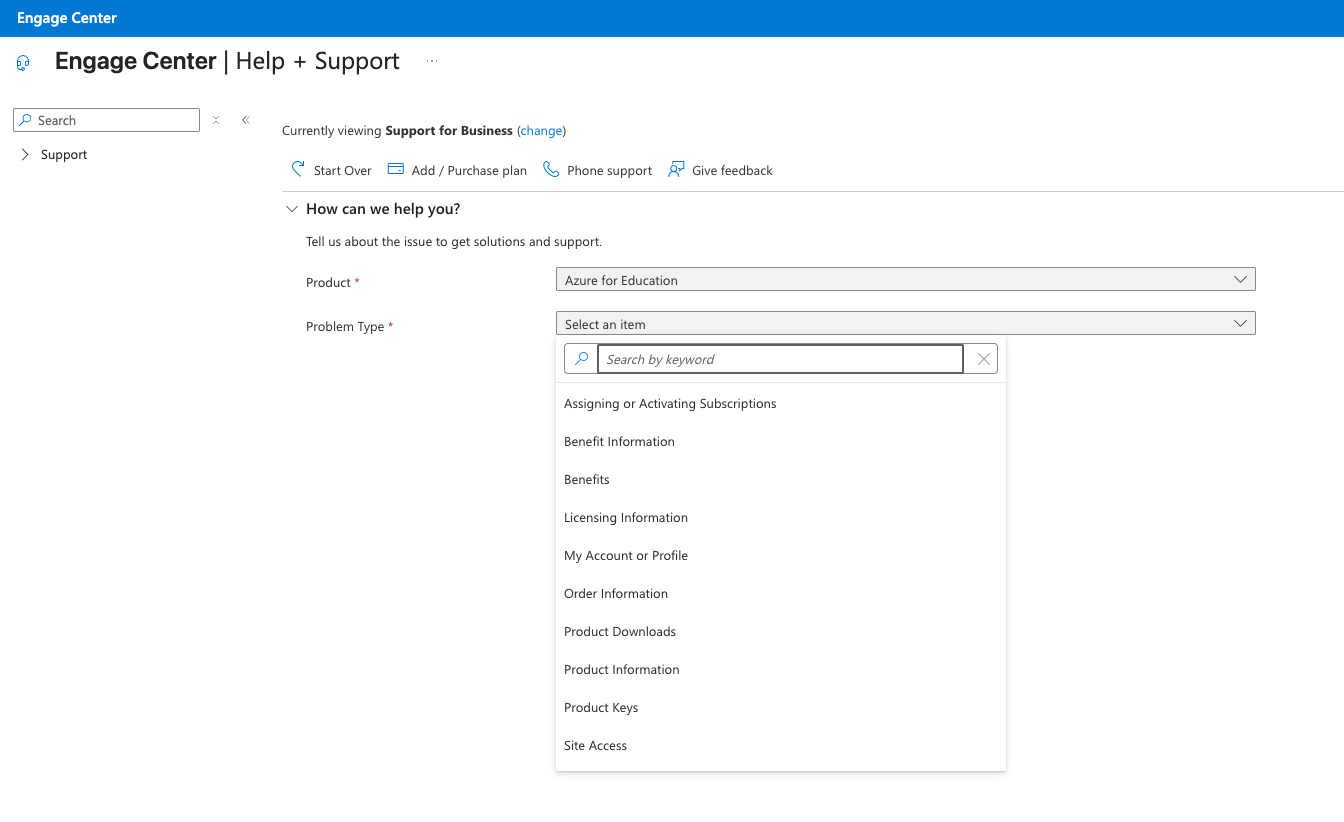
Select the issue category that most closely matches your problem.
After selecting your product and issue type, Microsoft may display:
Scroll to the bottom of the page and select Create a support request.
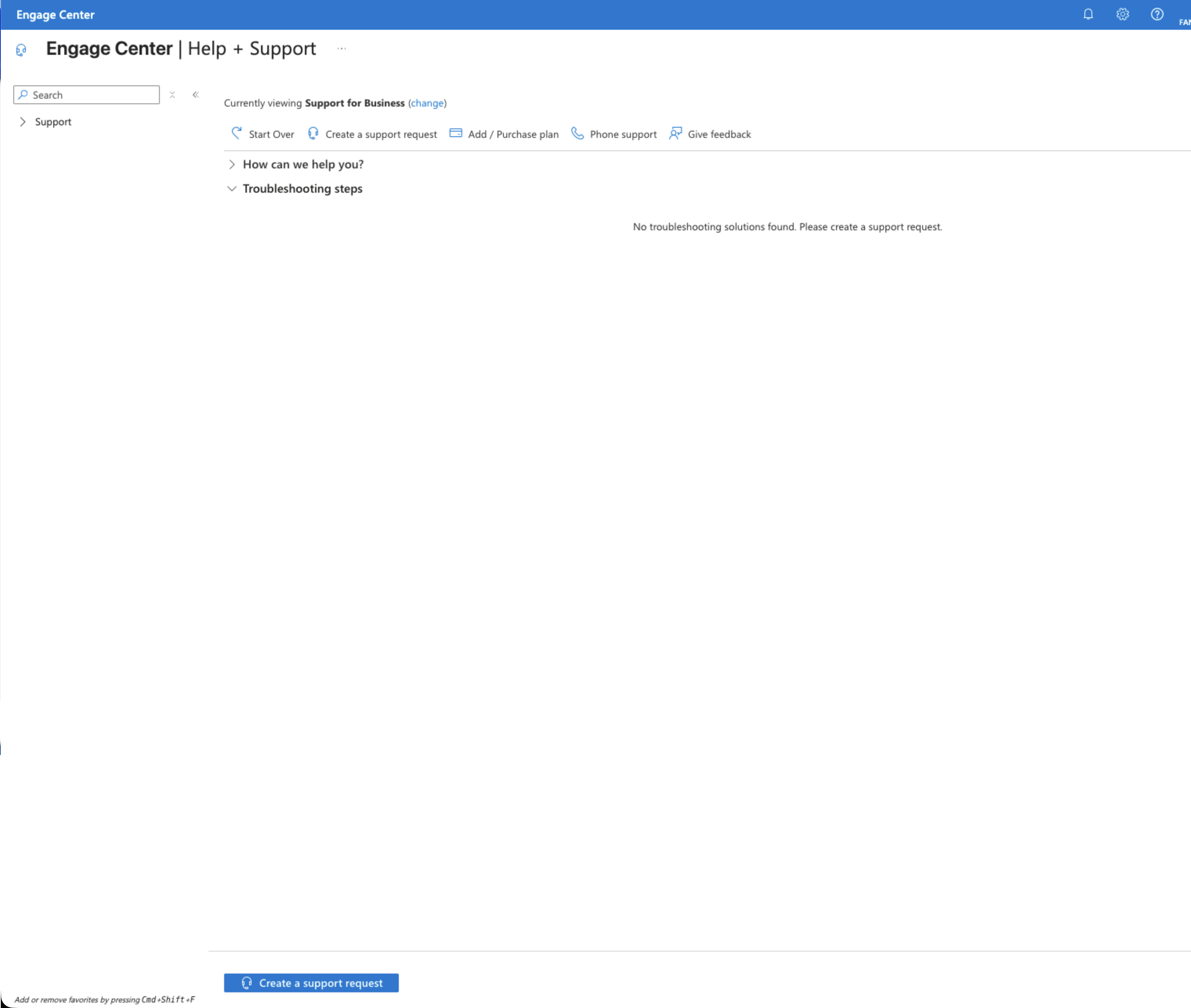
The Create a support request button is located near the bottom of the page.
The New support request page will open.
Confirm that the Product or Service Type, Problem Type and Problem Subtype match the issue you selected.
In the Summary field, enter a short and clear description of the problem.
Select Next when finished.
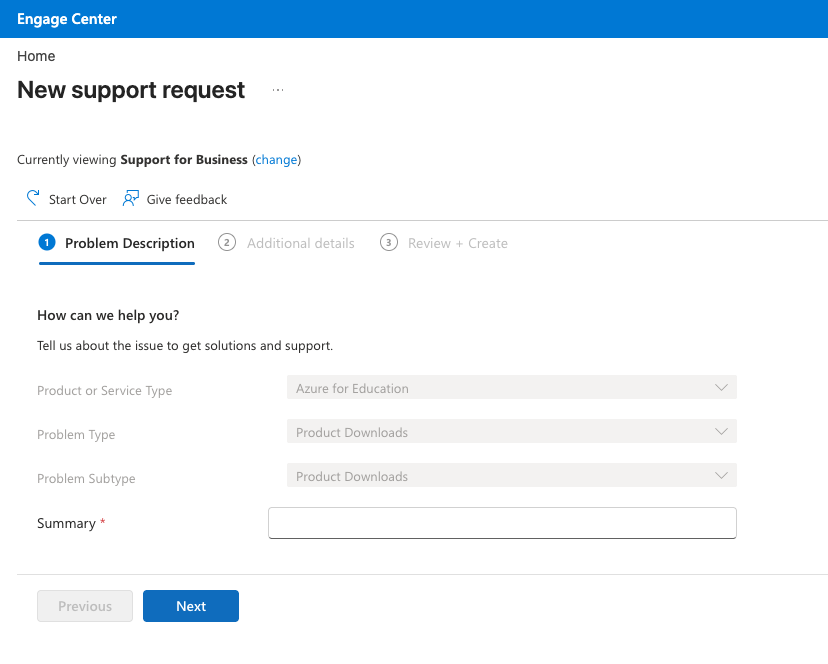
Enter a short summary describing the issue, then select Next.
In the Additional details box, describe the issue in more detail.
Include useful information such as:
You may also upload screenshots or other files if they help explain the issue.
Select your preferred contact method, such as Email or Phone.
Confirm your contact information, including:
When everything is complete, select Next.
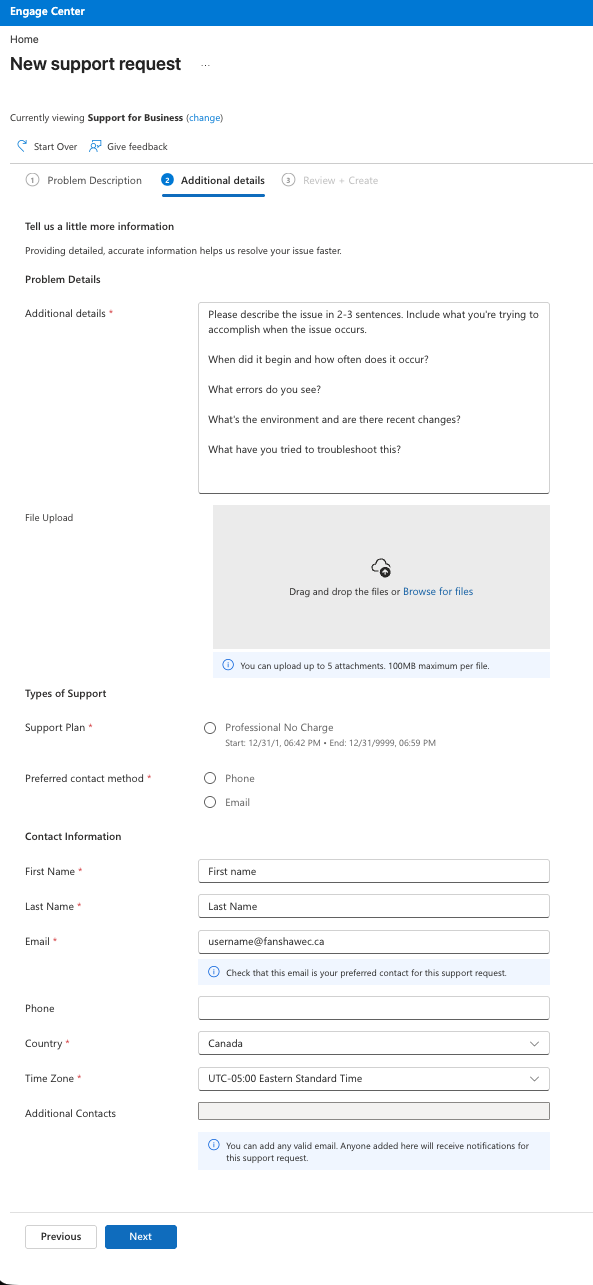
Complete the additional details, support method and contact information.
Microsoft will display the final Review + Create page.
Carefully review:
If everything is correct, select Submit.
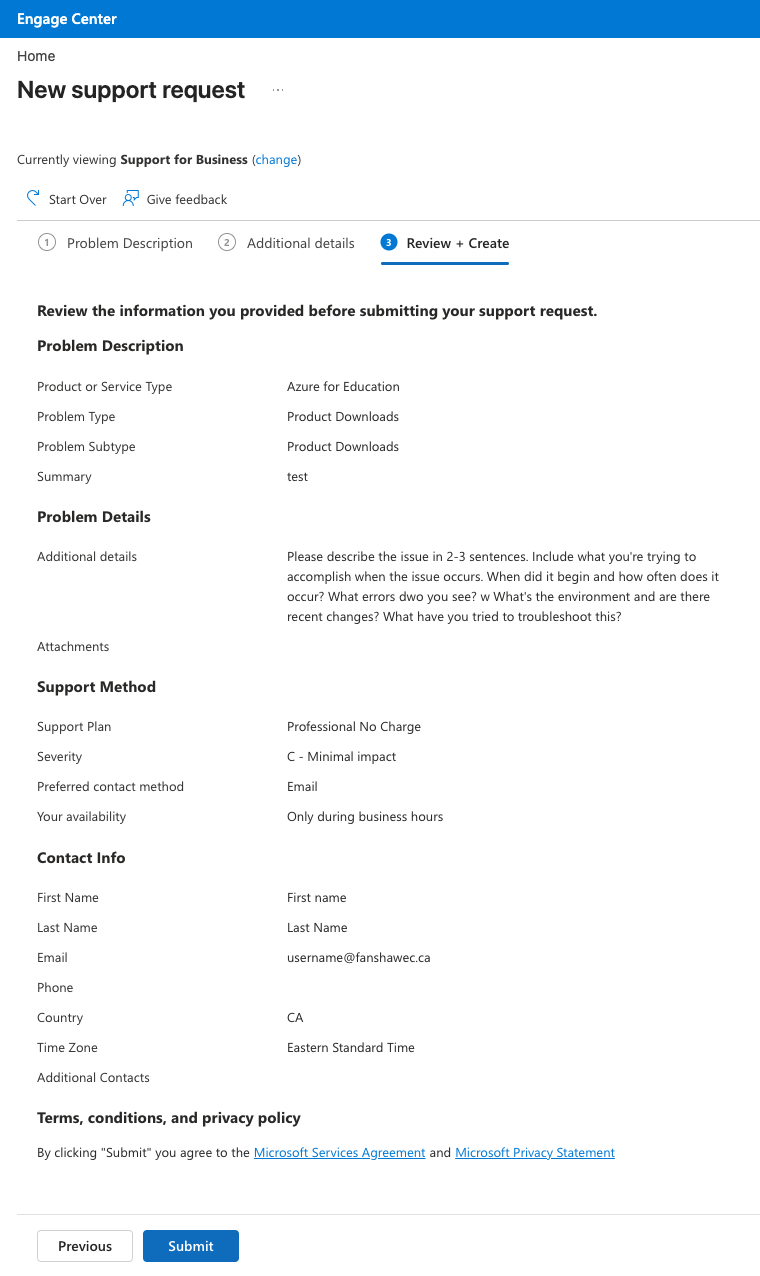
Review the information carefully, then select Submit.